
How Build0 Uses AI to Generate Secure Internal Tools in Minutes Without Waiting on Engineering
We have all been there. You are sitting in a meeting, looking at a spreadsheet that has become so complex it takes thirty seconds just to load. You know exactly what you need: a simple admin panel to manage customer orders, or a dashboard to visualize sales data without manually copy-pasting rows every Monday morning.
So, you go to your engineering team. You pitch the idea. They nod, agree it would be useful, and then drop the hammer: “We can put it on the roadmap for Q4.”
It is currently February.
For years, operations, product, and sales teams have lived in this limbo—stuck between the chaos of spreadsheets and the scarce bandwidth of engineering departments. This is the exact bottleneck that Build0 aims to shatter.
I have spent years analyzing the evolution of build automation and low-code platforms, but Build0 represents a shift that feels different. Backed by Y Combinator, this isn’t just another drag-and-drop builder; it is an AI-powered platform that claims to turn natural language into secure, full-stack internal applications in minutes.
If you are tired of duct-taping operations together with shared docs and manual emails, pull up a chair. We are going to dive deep into how Build0 works, why it is different from tools like Retool, and whether it can actually deliver on its promises.
Table of Contents
The Core Promise: Text-to-App in Minutes

At its simplest level, Build0 is an AI-powered development platform designed to build custom internal tools without writing code. But unlike the previous generation of “no-code” tools that forced you to learn complex visual editors, Build0 leans entirely on Generative AI.
The workflow is radically simple: You describe what you want, and the AI builds it.
For example, you might type: “Build me a customer feedback dashboard that pulls data from Zendesk, categorizes feedback by product area using sentiment analysis, and allows my team to mark items as reviewed.”
According to user reports, within minutes, the platform scaffolds a fully functional application. We aren’t just talking about a wireframe here. It generates the frontend interface, the backend logic, sets up the database, and configures the necessary integrations.
Why “Internal Tools” Matter
Build0 specifically targets internal business applications—the unglamorous but critical software that keeps a company running. These are tools for:
- Product Teams: Feedback hubs and beta management portals.
- Operations: Partner dashboards and approval workflows.
- Sales: Commission calculators and revenue analytics.
- Customer Support: User data portals and troubleshooting bots.
By focusing on this niche, Build0 removes the pressure of pixel-perfect consumer design, prioritizing functionality, data integrity, and security instead.
Beyond the Hype: How Build0 Actually Works
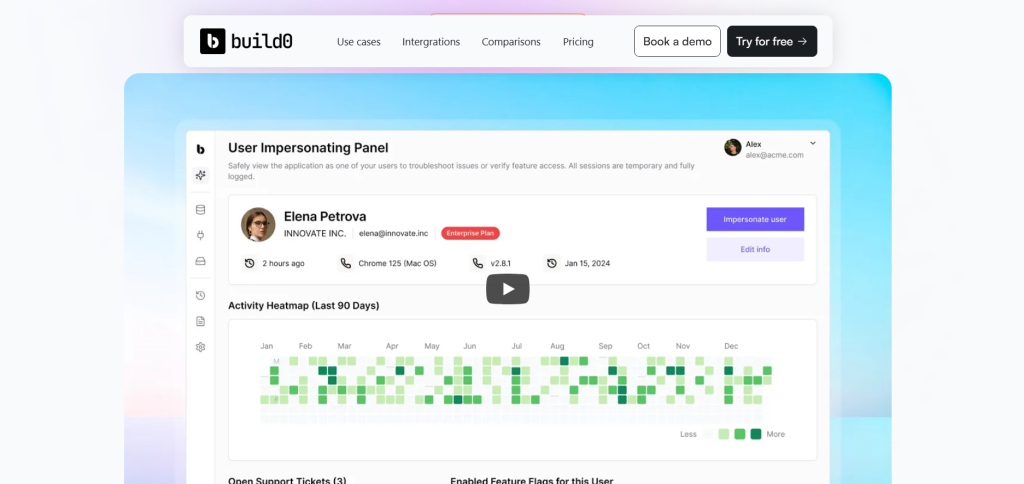
If you have played with ChatGPT, you know it can write code. But copying code from a chat window into a file, setting up a server, and configuring a database is technically demanding. Build0 automates that entire lifecycle.
1. True Full-Stack Generation
Unlike platforms that just provide a UI layer, Build0 generates real, structured code. It creates React-based frontends (often using TypeScript) and Node.js backends. This is a massive advantage for longevity. Because it generates clean code, you aren’t strictly locked into a “black box.” In fact, Build0 allows for code export, meaning your engineering team can eventually take that code and extend it manually if they ever need to.
2. The “Context Engineering” Approach
Successful AI implementation often comes down to context. Build0 allows you to connect your existing data sources—PostgreSQL, Stripe, HubSpot, Salesforce, Slack, and more.
The platform uses a zero-trust architecture regarding these credentials. A critical distinction highlighted in technical reviews is that the Large Language Model (LLM) never accesses your actual credentials. Your API keys and database passwords are stored in encrypted vaults separate from the AI generation process. This solves one of the biggest hurdles enterprise IT teams have with AI tools: security compliance.
3. Iterative Refinement
The first draft is rarely perfect. Build0 handles this through a conversational interface. If the chart is the wrong color or the data isn’t sorting correctly, you don’t hunt for a setting in a sidebar. You simply tell the AI, “Add a monthly trends chart,” or “Make the user ID column searchable.” The AI updates the app in real-time.
Case Study: 6 Weeks of Work in 1 Day
To understand the real-world impact, look at the experience of early adopters. One compelling example involves an Operations team needing a partner dashboard complete with analytics, billing history, and user management capabilities.
The Old Way: Typically, a project like this would require a frontend dev, a backend dev, and multiple sprint cycles. Estimates placed this at 4 to 6 weeks of engineering time.
The Build0 Way: Using Build0, the team reached a demo-ready state in one day. They spent two additional days polishing the UI and plugging in real data. The result was a clean, legitimate-looking UI with authentication and routing handled automatically. As one user noted, it felt like “having a senior engineer and a designer pair-programming with me—but without all the meetings.”
Security: The Enterprise Dealbreaker
In the world of software development, “internal tool” is often synonymous with “security vulnerability.” When non-technical staff build tools, they often neglect permissions, leading to data leaks.
Build0 addresses this by baking security into the generation process.
- Built-in Authentication: You don’t have to code a login screen; it’s there by default.
- RBAC (Role-Based Access Control): You can define who sees what (e.g., “Only managers can mark items as refunded”).
- Audit Logs: The system tracks user actions, which is essential for SOC2, HIPAA, and GDPR compliance.
- VPC Deployment: For large enterprises, Build0 supports deployment into Virtual Private Clouds (VPC) or on-premise infrastructure, ensuring sensitive data never leaves your controlled environment.
Build0 vs. The Competition
You might be wondering how this stacks up against the heavyweights already in the room.
Platform Feature Comparison
Compare the key features, learning curves, and target users of different development platforms for building applications and tools.
| Feature | Build0 | Retool | Bubble | Custom Dev |
|---|---|---|---|---|
| Primary Interface | Natural Language / AI | Drag-and-Drop / SQL | Visual Editor | Code (IDE) |
| Learning Curve | Very Low | Moderate (Requires SQL/JS) | High | Very High |
| Code Ownership | Exportable Code | Proprietary / Locked-in | Proprietary | Full Ownership |
| Target User | Ops, Product, Founders | Developers / Technical Ops | Founders / No-Code Devs | Software Engineers |
| Best For | Secure Internal Tools | Internal Tools with complex data | External SaaS MVPs | Core Products |
Vs. Retool: Retool is fantastic, but it assumes you know how to write a SQL query or a JavaScript transformer. Build0 lowers that barrier further. If you can write an email describing what you want, you can build in Build0.
Vs. Standard AI Coding Assistants (Copilot/Cursor): Tools like GitHub Copilot accelerate developers within an IDE. They help you write code faster, but you still need to know how to set up the environment, run the build, and deploy the server. Build0 handles the infrastructure, hosting, and deployment for you.
Pricing Structure
Build0 utilizes a tiered pricing model that separates “Builders” (creators) from “Viewers” (end-users), along with a credit system for AI usage.
- Starter (Free): Generous enough for hobbyists or testing. Includes 1 builder, 1,500 AI credits/month, and 2 apps.
- Team ($35/month): Adds version history, RBAC (crucial for business use), and increases limits.
- Growth ($75/month): For fast-growing startups requiring more builders and priority support.
- Scale ($149/month): High-volume execution limits and white-glove setup.
- Enterprise: Custom pricing for SSO, VPC deployment, and unlimited usage.
Note: AI Build Credits are consumed when you prompt the AI to generate code, while Execution Units (XUs) are consumed when the app actually runs processes (like API calls).
The “Rent vs. Own” Dilemma: How Build0 and Retool Approach Code Ownership

When you are evaluating internal tool builders, the conversation often starts with speed—how fast can we get this dashboard live? But once the initial rush subsides, a much more critical question emerges: Who actually owns this software?
This is where the divergence between Build0 and Retool becomes stark. While both platforms aim to speed up development, they have fundamentally different philosophies regarding the code that runs your business. One acts as a powerful runtime engine you subscribe to, while the other functions more like an automated software agency that hands you the keys when the job is done.
Here is a breakdown of how they compare on the critical issue of code ownership.
Retool: The “Walled Garden” Approach
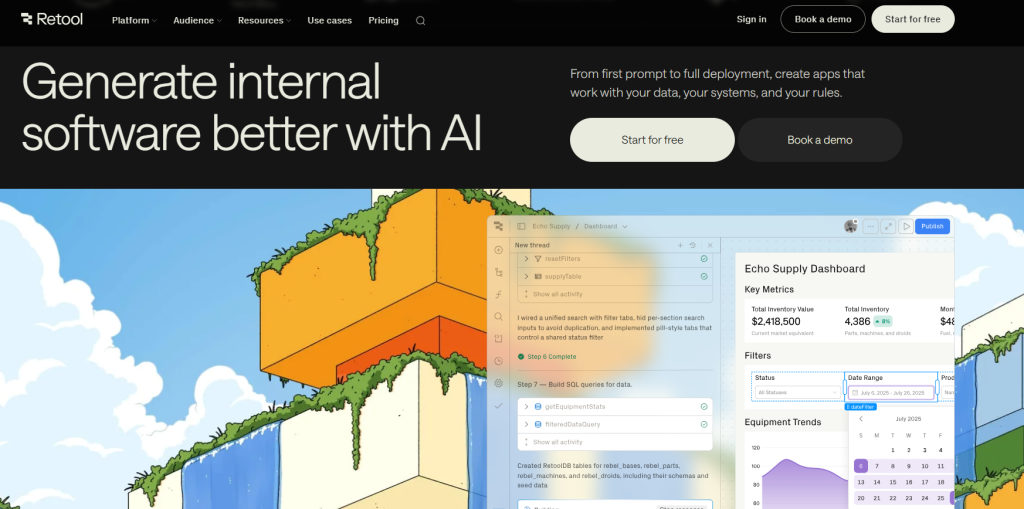
Retool is widely considered the gold standard for low-code internal tools, and for good reason—it is incredibly polished. However, its architecture is proprietary. When you build an app in Retool, you are essentially configuring metadata that interprets how the app should look and behave within the Retool runtime environment.
This creates a form of vendor lock-in. You cannot simply “export” a Retool app and run it on a standard AWS instance or hand it off to a developer to maintain without Retool’s infrastructure. If you stop paying for Retool, or if you want to move your tool to a completely different stack, you generally have to rebuild it from scratch. The logic relies on their proprietary framework, SQL connectors, and JavaScript transformers that exist only within their ecosystem.
Build0: The “Export and Eject” Philosophy
Build0 takes a radically different approach that appeals to engineering leaders who are wary of lock-in. Instead of creating a proprietary configuration file, Build0 uses AI to generate standard, full-stack code.
When you describe your app to Build0, it generates:
- Frontend: React code (typically using TypeScript).
- Backend: Node.js logic.
- Database: PostgreSQL schemas.
Because Build0 generates standard code, you possess full ownership of the final product. The platform explicitly supports code export, meaning you can take the generated codebase, push it to your own GitHub repository, and deploy it on your own infrastructure if you choose to leave the platform.
Why This Matters for Engineering Teams
This difference in ownership has massive downstream effects on how your team interacts with these tools.
1. Flexibility and Extensibility
With Retool, you are limited to the integrations and extension points the platform provides. While Retool is very flexible, you are still playing in their sandbox.
With Build0, because the output is standard code, your engineering team can extend the application using standard development workflows. If you hit a ceiling with what the AI can generate, your developers can export the code and manually implement complex custom logic, pixel-perfect UI adjustments, or specific security protocols that a low-code builder might not support.
You are essentially using the AI to handle the first 80-90% of the scaffolding and boilerplate, while retaining the option to finish the last mile with traditional coding.
2. Long-Term Viability
The “export” capability of Build0 acts as a safety valve. If the platform were to change its pricing model unfavorable, or if the company were to pivot in a direction that doesn’t suit your needs, you aren’t stranded. You can export your applications and maintain them as standard React/Node.js projects. This alleviates the risk of “platform risk” that usually accompanies No-Code/Low-Code adoption.
Summary: The Verdict on Ownership
To put it simply, Retool is a platform you subscribe to, whereas Build0 creates assets you own.
- Choose Retool if you want a managed runtime where you don’t have to worry about hosting, and you are comfortable with the trade-off of being tied to their ecosystem in exchange for a robust, drag-and-drop experience.
- Choose Build0 if you want the speed of AI generation but demand the security of owning clean, exportable source code that adheres to standard engineering practices.
The Verdict
We are in a transition period in software development. The line between “technical” and “non-technical” is blurring.
Build0 represents a significant leap forward because it treats internal tools not as a coding challenge, but as a workflow challenge. It acknowledges that for 90% of internal business problems, the technology stack is irrelevant to the user—they just need the data to flow securely from Point A to Point B.
If you are a Founder, Product Manager, or Operations Lead, Build0 is a tool you should likely be testing immediately. It allows you to unblock your own roadmap without waiting for engineering resources.
For Engineering Managers, this isn’t a threat; it’s a relief valve. It allows you to offload the “maintenance and internal tools” backlog to the business units themselves, while retaining the security and architectural standards (via code export and RBAC) that keep the CTO happy.
FAQ
Can I really build an app without knowing how to code?
Yes. Build0 uses natural language processing. If you can describe your logic clearly in English (e.g., “When a new order comes in from Stripe, send a Slack notification”), the AI handles the code generation.
Is the code generated by Build0 exportable?
Yes. Unlike many no-code platforms that lock you in, Build0 generates standard React and Node.js code that can be exported. This means your engineering team can take over the project later if needed.
How secure is Build0 with my data?
Build0 utilizes a zero-trust architecture. It manages credentials in encrypted vaults that the AI models cannot access directly. It also provides built-in role-based access control (RBAC) and audit logs to meet enterprise compliance standards.
What happens if the AI generates an error?
Build0 supports an iterative refinement process. If something doesn’t work, you can tell the AI (e.g., “The search bar isn’t filtering correctly”), and it will attempt to debug and regenerate the code to fix the issue.
Can I connect Build0 to my internal database?
Yes. Build0 supports integrations with major databases like PostgreSQL and MySQL, as well as third-party APIs like HubSpot, Salesforce, and Google Sheets.
Is Build0 suitable for customer-facing SaaS products?
While possible, Build0 is optimized for internal tools and business workflows. For complex, pixel-perfect consumer apps with heavy animation or unique UX requirements, traditional development or specialized frontend tools might still be preferable.
Can I edit the code generated by Build0?
Yes. Since Build0 generates standard React and Node.js code, you can export it and edit it in any IDE (like VS Code), or use their iterative AI prompting to refine the code within the platform.
If I cancel my Build0 subscription, do I lose my apps?
No. Because you can export the code, you can host the applications yourself on your own infrastructure (e.g., AWS, Vercel, or on-premise servers) independently of Build0.
Does Retool allow code export?
Generally, no. Retool apps rely on the Retool runtime to function. You cannot export a standalone binary or source folder to run independently of their service.