
33 Best Free AI Writing Tools in 2026: An Expert’s Guide to Scaling Your Content
I still remember the first time I truly hit a wall with a manuscript. It wasn’t just a little writer’s block; it was a full-blown creative drought. I stared at the blinking cursor for hours, the white screen mocking me. I felt like I had forgotten how to string sentences together. If you’re a writer, a marketer, or a student, you know exactly that feeling of dread.
Fast forward to 2026, and the landscape has changed entirely. We aren’t staring at blank pages anymore. We are collaborating with digital interns—Artificial Intelligence.
But here is the problem: the market is absolutely flooded. Every week a new “revolutionary” platform pops up, promising to write your novel, code your app, or manage your SEO strategy. Navigating this ocean of software can be just as paralyzing as the blank page itself.
I have spent the last few years testing, breaking, and integrating these platforms into real-world workflows. I’ve sifted through the hype to find the tools that actually deliver value without demanding your credit card upfront. Whether you are crafting a novel, scaling a marketing agency, or just trying to get through a semester of college, there is a tool here for you.
Here are the best free AI writing tools available right now, and learn how to use them without losing your unique human voice.
The Titans: General-Purpose AI Chatbots
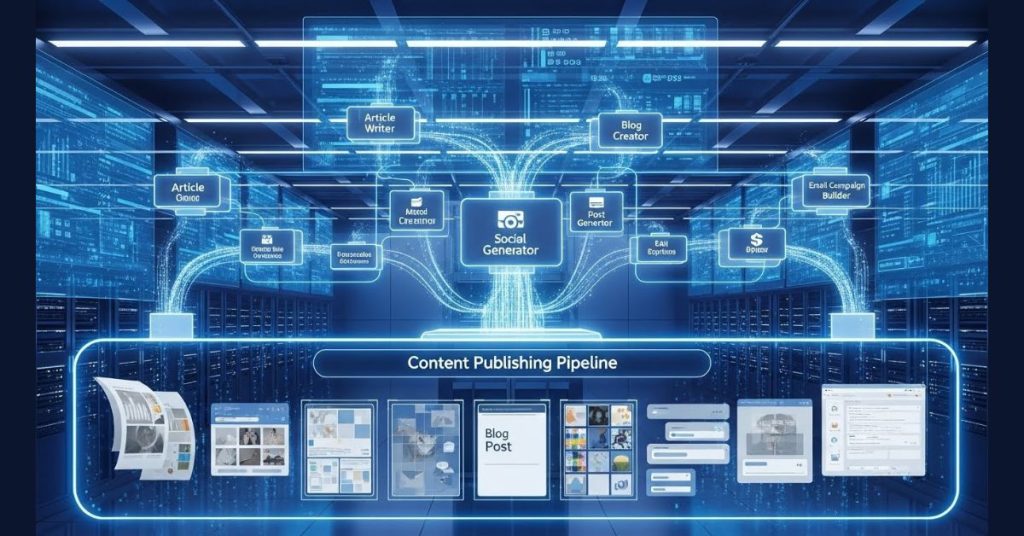
Before we get into specialized software, we have to talk about the heavy hitters. These are your Swiss Army Knives. According to recent industry surveys, nearly 75% of marketers are now using these tools in their daily workflows. They are best used for brainstorming, outlining, and rough drafting.
1. ChatGPT (OpenAI)
You can’t talk about AI without mentioning the one that started the craze. While the Pro versions get all the glory, the free tier of ChatGPT remains one of the most versatile tools on the planet.
Best For: Brainstorming, outlining, and general drafting.
Pros:
- Versatility: It handles everything from coding snippets to poetry.
- Conversational Memory: It remembers the context of your chat, allowing for iterative improvements.
- Accessibility: The interface is intuitive and zero-friction.
Cons:
- Robotic Prose: The default output can be flowery, repetitive, or overly “corporate.”
- Knowledge Cutoffs: The free version may not always have access to the absolute latest real-time web data compared to paid tiers.
2. Claude (Anthropic)
If ChatGPT is the logical mathematician, Claude is the creative arts major. In my experience, Claude’s free tier produces significantly more natural, human-sounding prose right out of the box.
Best For: Nuanced writing, summarization, and tone-specific tasks.
Pros:
- Superior Prose: Less likely to use clichés; feels more like a human writer.
- Large Context Window: Can read and analyze larger blocks of text than many competitors.
- Safety: Built with a focus on “constitutional AI,” making it safer for corporate environments.
Cons:
- Strict Limits: The free tier has tighter usage limits than ChatGPT; you might get cut off during a long session.
3. Google Gemini
Gemini is Google’s answer to the AI race, and its superpower is integration. If you live in Google Docs or Gmail, this is your native assistant.
Best For: Research-heavy tasks and Google Workspace users.
Pros:
- Ecosystem Integration: Works seamlessly with Drive, Docs, and Gmail.
- Web Access: excellent at pulling information from the live web (though always double-check facts).
- Deep Research: Recent updates have made it a powerhouse for synthesizing complex topics.
Cons:
- Inconsistency: Can sometimes struggle with creative nuance compared to Claude.
4. Mistral Le Chat
A favorite among tech-savvy users, Mistral offers a robust free option that is surprisingly powerful. It is open-weight and often feels less “censored” or restricted than American-based models.
Best For: unfiltered creativity and technical tasks.
Pros:
- Image Generation: The free chat often includes access to Flux AI for image generation.
- Performance: Highly efficient and fast.
Cons:
- Features: Lacks some of the bells and whistles (like voice mode) found in ChatGPT.
You might want to read this: The Ultimate Guide to AI Tools for Google Sheets
Best Free AI Content Writing Tools for Fiction Authors

Fiction is a different beast. You need tools that understand narrative arcs, character beats, and “show, don’t tell.”
5. Raptor Write
While giants like Sudowrite and Novelcrafter dominate the paid space, Raptor Write is a hidden gem for those on a budget. It comes from the Future Fiction Academy and is designed specifically for storytellers.
Best For: Fiction writers who need a dedicated interface without a monthly subscription.
Pros:
- Cost: Completely free.
- Simplicity: A clean, no-nonsense design that helps you focus on the story.
Cons:
- Power: It lacks the complex “Story Bible” features of Novelcrafter or the advanced plugins of Sudowrite.
6. Sudowrite (Trial/Freemium)
I’m including this with a caveat: it is primarily a paid tool, but it is the industry standard for fiction. It offers a trial that lets you test its “Muse” model, which many authors agree is currently the best for generating prose that actually feels like a novel.
Pro Tip: Use the trial to break through a specific block in your manuscript.
Marketing & Copywriting Specialists

Marketing requires punchy, persuasive copy. These tools are “wrappers” that use AI models but fine-tune them specifically for sales and engagement.
7. Copy.ai
If you need to churn out social media captions, product descriptions, or ad copy, Copy.ai is a lifesaver. It creates almost-ready-to-publish drafts.
Best For: Social media managers and e-commerce owners.
Pros:
- Templates: Hundreds of pre-made templates for every social platform.
- Workflow: Designed to get you from idea to “Post” in minutes.
Cons:
- Depth: Not ideal for long-form thought leadership articles; can feel a bit generic without editing.
8. HubSpot Content Writer
HubSpot offers free AI writing tools integrated into their marketing platform. It is excellent for drafting emails, blog ideas, and landing page copy.
Best For: Marketers already in the HubSpot ecosystem.
Pros:
- Multichannel: Handles blogs, web copy, and social posts in one place.
- SEO: Built with marketing performance in mind.
Cons:
- Scalability: The jump from free to paid tiers can be steep.
9. Rytr
Rytr is fantastic for beginners. It has a simple, clean interface that doesn’t overwhelm you with options. It sits right in your browser or works as a chrome extension.
Best For: Short-form content and emails.
Pros:
- Ease of Use: very low learning curve.
- Tone: Good at adjusting tone (e.g., “assertive,” “humorous”).
Cons:
- Limits: The free character count can run out quickly if you are doing heavy work.
10. Semrush Title Generator
This is a niche tool, but a vital one. It generates SEO-optimized headlines. You simply enter your topic, and it generates catchy, click-worthy titles, making it perfect AI for bloggers.
Best For: Bloggers and YouTubers.
Pros:
- Click-Through Rate: Specifically engineered to create headlines that people click.
- Free: Usage is generally free without a heavy subscription.
Academic, Research, and Editing Tools
If your work requires citations, purity of language, or deep analysis, general chatbots often hallucinate. You need specialized tools.
11. QuillBot
QuillBot started as a paraphraser but has evolved into a full writing suite. Its summarizer is particularly strong for digesting long reports.
Best For: Students and academics needing to rewrite or summarize text.
Pros:
- Summarizer: Can condense up to 600 words of text for free.
- Paraphrasing: Helps you avoid self-plagiarism or simplify complex sentences.
- Citations: Includes a citation generator.
Cons:
- Limits: The free version limits the word count and modes (e.g., “Creative” mode is often locked).
12. Paperpal
Designed for researchers, Paperpal acts like an academic editor. It suggests improvements to vocabulary and grammar specifically for scholarly tone.
Best For: Writing research papers or dissertations.
Pros:
- Academic Focus: Won’t make your thesis sound like a sales blog.
- Translation: Great for non-native English speakers to polish their prose.
13. Perplexity
Perplexity is less of a “writer” and more of a “knowledge engine.” It searches the live web and gives you a cited answer. I use this more than Google search nowadays.
Best For: Fact-checking and initial research.
Pros:
- Citations: Every claim is backed by a footnote link to the source.
- Accuracy: Much lower hallucination rate than standard ChatGPT.
Cons:
- Writing Style: It is factual and dry; not meant for creative drafting.
Additional 20 More AI Writing Tools You Need to Try
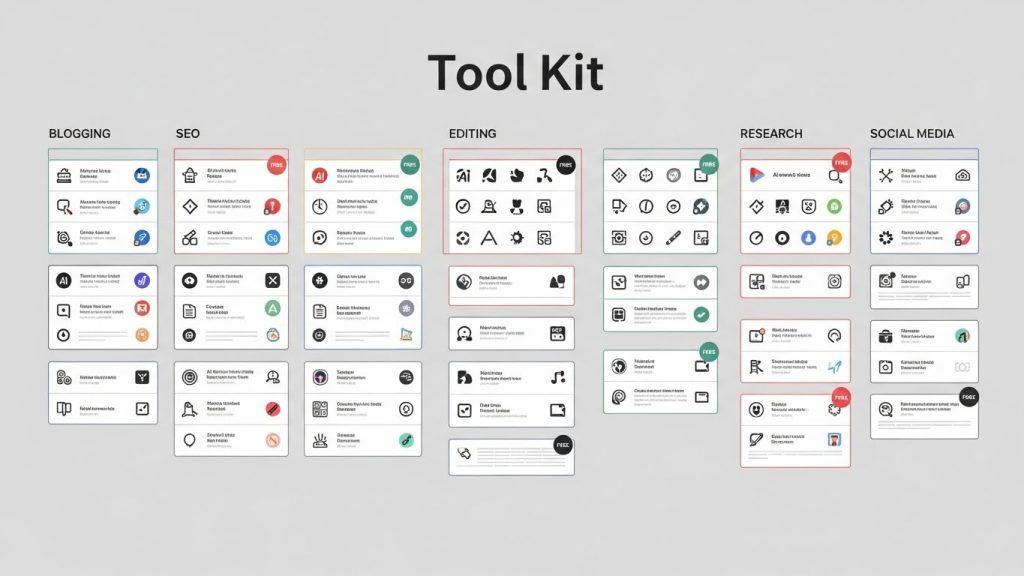
While the first 13 tools we discussed are the “daily drivers” for most people, the AI landscape is actually a massive iceberg. Below the surface lies a treasure trove of specialized, niche, and power-user tools that can handle everything from complex legal policies to open-source privacy solutions.
I have dug into the latest research—from detailed comparisons of SEO giants to GitHub repositories of open-source assistants and decided to add 20 more tools that I have discovered. I haven’t tried each one of them, though. Some of these are hidden gems for fiction writers, while others are productivity powerhouses for the corporate world.
Here are 20 additional AI writing platforms to add to your arsenal. I categorized them by how they will actually help you work.
The “Big Business” & Productivity Suites
These tools aren’t just for chatting; they are designed to integrate into your existing workflow, whether you are coding, emailing, or managing a team.
14. Microsoft Copilot
If you are already in the Microsoft ecosystem, Copilot is the heavy hitter you’ve been ignoring. Unlike ChatGPT, which sits in a separate tab, Copilot (formerly Bing Chat) is integrated deeply into the Microsoft 365 suite and uses OpenAI’s GPT-4 Turbo in its free tier, which makes it a good free AI writing generator alternative.
Best For: Business professionals and students needing structured reports and Office integration.
Pros:
- Model Power: Gives you free access to GPT-4 class models that usually cost money elsewhere.
- Ecosystem: It excels at summarizing long Word documents or generating Excel formulas.
- Sourcing: Like Perplexity, it provides citations for its web searches.
Cons:
- Creativity: Tests show it can be less “expressive” and more corporate-sounding than Google’s Gemini.
- Speed: Can be slower than Gemini for real-time creative brainstorming.
15. Notion AI
Notion has evolved from a note-taking app to an all-in-one workspace. Its AI features allow you to summarize messy notes, draft blog posts, or brainstorm ideas without ever leaving your project management dashboard.
Best For: Teams and organizers who live inside Notion.
Pros:
- Context: Since it lives in your notes, it can rewrite or summarize your specific data without copy-pasting.
- Convenience: excellent for tidying up meeting notes instantly.
Cons:
- Cost: While Notion has a free tier, the full AI features are often an increasingly paid add-on.
16. Scribe
Scribe is a unique productivity tool that uses AI to document your processes. Instead of writing a “How-To” guide manually, you simply turn on Scribe, do the task, and it generates a step-by-step guide with screenshots and text.
Best For: Creating Standard Operating Procedures (SOPs) and tutorials.
Pros:
- Time-Saver: Automates the most tedious part of training—documentation.
- Visuals: Automatically captures screenshots to go with the text.
Cons:
- Niche: It is strictly for documentation, not for creative writing.
The “Editor-in-Chief” Tools
These tools don’t just write for you; they make your writing better. They act as a second pair of eyes for grammar, tone, and style.
17. Grammarly (and GrammarlyGO)
You likely know Grammarly for spell-checking, but its new AI features (GrammarlyGO) move it into the generative space. It can rewrite full emails, adjust the tone of your text from “angry” to “diplomatic,” and brainstorm ideas.
Best For: Students and professionals who need error-free, polished communication.
Pros:
- Ubiquity: Works everywhere—email, Slack, Word, Google Docs.
- Tone Detection: Excellent at telling you if you sound too aggressive or passive.
Cons:
- Strictness: Can sometimes sanitize your “voice” too much, making you sound generic.
18. Wordtune
Wordtune is for when you know what you want to say but can’t find the right words. Highlight a sentence, and it gives you ten different ways to rewrite it (casual, formal, shortened, expanded).
Best For: Non-native English speakers or anyone stuck on a specific sentence.
Pros:
- Simplicity: A very clean interface that focuses purely on rewriting.
- Casual/Formal Toggle: Instantly switch a text message into a LinkedIn post.
Cons:
- Limits: The free plan has a daily limit on rewrites (around 10/day).
19. ProWritingAid
This is the heavyweight champion for long-form editors. It offers deep style reports, checking for things like sentence length variation, overused words, and sticky sentences that impede readability.
Best For: Novelists and long-form content writers.
Pros:
- Depth: Offers 20+ different writing reports (more than Grammarly).
- Education: Explains why a sentence is weak, helping you learn.
Cons:
- No Generation: It is an editor, not a generator; it won’t write the book for you.
20. DeepL Write
From the makers of the incredibly accurate DeepL Translator, DeepL Write focuses on perfecting phrasing and nuance. It’s exceptional for polishing text to sound native-level.
Best For: Multilingual writers and translation polishing.
Pros:
- Nuance: Often captures subtle language nuances better than standard spellcheckers.
- Free: Very generous free access for text improvement.
Cons:
- Scope: Limited to rewriting and translation, not content generation.
The SEO & Marketing Specialists
If you need to rank on Google or sell a product, general chatbots often miss the mark. These tools are built with marketing logic under the hood.
21. Writesonic
Writesonic is a hybrid SEO writer and chatbot. It differentiates itself with “Generative Engine Optimization” (GEO), focusing on how content ranks in AI search engines, not just Google.
Best For: Bloggers and marketers focused on ranking.
Pros:
- SEO Integration: Built-in SEO tools and keyword optimization.
- Current Data: Chatsonic (its chatbot) connects to Google Search for real-time data.
Cons:
- Free Limits: The free plan has become more restrictive, moving toward a credit-based system for high-quality words.
22. Anyword
Anyword’s claim to fame is its “Performance Prediction” score. Before you publish a post or an ad, it predicts how likely your audience is to engage with it based on historical data.
Best For: Ad copywriters and social media managers.
Pros:
- Data-Driven: It doesn’t just guess; it uses data to score your headlines.
- Brand Voice: Strong features for maintaining a specific brand tone.
Cons:
- Price: Geared heavily toward paid teams, though trials exist.
23. NeuralText
NeuralText offers a suite of free tools for SEOs, including a “People Also Ask” generator and detailed content briefs. It automates the research phase of SEO writing.
Best For: SEOs creating content briefs.
Pros:
- Workflow: Streamlines the research process from keyword to outline.
- Free Tools: Offers handy standalone free tools for specific SEO tasks.
Cons:
- Complexity: Can be overwhelming for a casual writer just wanting a blog post.
24. INK (Ink for All)
INK combines AI writing with SEO and—crucially—content protection. It features a “Content Shield” designed to ensure your AI content doesn’t get flagged as spam by search engines.
Best For: SEOs worried about AI penalties.
Pros:
- Safety: Focuses on creating content that is safe from search engine penalties.
- Optimization: Scores your content’s SEO potential in real-time.
Cons:
- Interface: A bit more cluttered than simple writing tools.
25. Describely (formerly Copysmith)
This is a niche tool specifically for e-commerce. If you have 500 products that need unique descriptions for your Shopify store, Describely is built to handle that bulk workload.
Best For: E-commerce store owners.
Pros:
- Bulk Creation: Can generate hundreds of product descriptions from a spreadsheet.
- Integration: Plugs directly into platforms like Shopify.
Cons:
- One-Trick Pony: Not useful for writing articles or emails.
26. Scalenut
Scalenut is an AI-powered SEO platform that covers the entire content lifecycle. It creates “Cruise Mode” blogs—generating a 1,500-word article in minutes based on SERP (Search Engine Results Page) data.
Best For: Content agencies needing scale.
Pros:
- Cruise Mode: One of the fastest workflows for long-form SEO content.
- Research: heavily relies on what is currently ranking to guide the AI.
Cons:
- Generic Feel: High-speed generation can sometimes feel formulaic.
The Creative Fiction & Storytelling Tools
Writing a novel requires a tool that understands plot, character arcs, and continuity—things ChatGPT often forgets after 500 words.
27. Novelcrafter
Novelcrafter is the “Adobe Photoshop” of fiction writing. It allows you to build a massive “Codex” (series bible) of characters and locations, which the AI references while writing.
Best For: Serious novelists and series writers.
Pros:
- Control: You aren’t just prompting; you are engineering a novel with strict adherence to your lore.
- Bring Your Own Key: You can plug in your own OpenAI or Claude API key, paying only for what you use (often cheaper than subscriptions).
Cons:
- Learning Curve: It is complex software that takes time to master.
28. NovelAI
NovelAI focuses on freedom and privacy. It uses its own models trained on literature (not just generic web text) to produce prose that feels more “story-like” and less robotic.
Best For: Interactive storytelling and pantser-style writers.
Pros:
- Privacy: Strong stance on user privacy; stories are encrypted.
- Style: The AI is tuned specifically for narrative prose, not business emails.
Cons:
- Coherence: Can sometimes wander off-plot more than structured tools like Sudowrite.
29. Squibler
Squibler markets itself as a tool to help you “get out of your own way.” It offers a “flow mode” where it nudges you forward, helping you visualize scenes and overcome writer’s block instantly.
Best For: Screenwriters and novelists needing a push.
Pros:
- Multimedia: Helps with visualizing characters and settings alongside text.
- Speed: Designed to force you to keep writing.
Cons:
- Depth: Less granular control over “story bible” elements than Novelcrafter.
The Niche, Technical, & Open Source
Sometimes you need a tool that does one specific thing perfectly, or you need total control over your data.
30. OpenAI Playground
While everyone uses ChatGPT, the Playground is for the pros. It allows you to tweak the “Temperature” (creativity) and other technical parameters of the model. It operates on a pay-as-you-go model which is often cheaper than a $20/month subscription for light users.
Best For: Developers and prompt engineers who want control.
Pros:
- Granular Control: You control exactly how the AI “thinks.”
- Cost: You only pay for the tokens you use.
Cons:
- Interface: Not user-friendly; looks like a developer tool.
31. ParagraphAI
This is a mobile-first AI writing assistant. It lives on your phone keyboard and helps you reply to texts, write emails, or generate comments instantly.
Best For: Mobile productivity and quick replies.
Pros:
- Convenience: It’s right there in your keyboard.
- Free Tier: Generous free usage for everyday tasks.
Cons:
- Depth: Not meant for writing long documents.
32. Termly
You shouldn’t write legal documents with a creative AI. Termly is a generator specifically for Privacy Policies, Terms of Service, and Cookie Policies. It uses a wizard to ensure you are actually compliant with laws like GDPR.
Best For: Website owners and small businesses.
Pros:
- Compliance: Designed by legal experts to keep you out of trouble.
- Updates: Policies auto-update when laws change.
Cons:
- Rigid: It’s a form generator, not a creative writer.
33. Leon
Leon is an open-source personal assistant that lives on your own server. If you are privacy-conscious and can code, Leon is the ultimate “Jarvis.” You can text or talk to him, and he retains your data locally.
Best For: Developers and privacy advocates.
Pros:
- Privacy: Your data stays on your server.
- Free: It is open-source software.
Cons:
- Technical: Requires technical knowledge to install and run (Node.js/Python).
Which of these should you add to your stack? If you are writing a book, grab Novelcrafter. If you are doing SEO, test drive Writesonic or NeuralText. If you just want your emails to sound better, install Grammarly or ParagraphAI. The “best” tool is no longer just the one that writes text—it’s the one that fits the specific shape of your work.
| AI Tool | Pricing Model |
|---|---|
| ChatGPT (OpenAI) | Freemium Paid: ~$20/month |
| Claude (Anthropic) | Freemium Paid: ~$20/month |
| Google Gemini | Freemium Paid: ~$20/month |
| Mistral Le Chat | Free Tier |
| Raptor Write | Free |
| Sudowrite | Trial Paid: ~$19/month |
| Copy.ai | Freemium Paid |
| HubSpot Content Writer | Free Tier Paid Plans |
| Rytr | Freemium Paid: ~$9/month |
| Semrush Title Generator | Free Tool |
| QuillBot | Freemium Paid: ~$10/month |
| Paperpal | Freemium Paid |
| Perplexity | Freemium Pro: ~$20/month |
| Microsoft Copilot | Freemium Copilot Pro: ~$20/month |
| Notion AI | Paid Add-on: ~$10/month |
| Scribe | Freemium Paid |
| Grammarly / GrammarlyGO | Freemium Paid: ~$12/month |
| Wordtune | Freemium Paid: ~$10/month |
| ProWritingAid | Freemium Paid: ~$10/month |
| DeepL Write | Free Tier Paid |
| Writesonic | Freemium Paid (Credit-based) |
| Anyword | Trial Paid |
| NeuralText | Freemium Paid |
| INK (Ink for All) | Paid |
| Describely (formerly Copysmith) | Paid |
| Scalenut | Paid |
| Novelcrafter | Bring Your Own API Key Subscription Features |
| NovelAI | Subscription: ~$10/month |
| Squibler | Paid |
| OpenAI Playground | Pay-As-You-Go |
| ParagraphAI | Freemium Paid |
| Termly | Freemium Paid |
| Leon | Open Source (Free) |
The ‘paid’ labelled tools have trial options.
The “Hidden Risks”: Bias and Accuracy
We need to have a serious conversation about the limitations of these tools. A recent study published in PeerJ Computer Science revealed something crucial: AI detection tools—the software used to catch students or writers using AI—are fundamentally flawed.
The study found that tools like GPTZero and ZeroGPT often exhibit bias against non-native English speakers. They frequently flag original, human-written text by non-native speakers as “AI-generated” simply because the writing style is less complex. Conversely, they often fail to detect AI text that has been “humanized” by advanced prompts.
Things to Consider:
- Do not rely on AI detectors. They are not accurate enough to prove innocence or guilt.
- Fact-Check Everything. AI hallucinations are real. One study showed experts missed 32% of fake AI-generated scientific abstracts. If you are using AI for research, verify every single statistic and date.
FAQ
Can I use AI-generated content for my blog without being penalized by Google?
Yes, but with conditions. Google has stated they care about quality content, regardless of who (or what) wrote it. However, unedited AI content often lacks “E-E-A-T” (Experience, Expertise, Authoritativeness, and Trustworthiness). You must edit, fact-check, and inject your personal experience into the content to rank well.
Is the free version of ChatGPT good enough for writing a book?
It is good enough for outlining and brainstorming. However, for writing actual prose, the free version (GPT-3.5 or 4o-mini) tends to be repetitive. Specialized fiction tools or the paid versions of Claude generally produce better narrative writing.
Who owns the copyright to AI-generated text?
Currently, in the US, AI-generated content cannot be copyrighted. If you use AI to write a blog post, you cannot claim copyright on the raw AI output. However, if you significantly edit and arrange the content, your human contributions are protected.
What is the difference between an AI model and an AI writing tool?
The Model (like GPT-4) is the engine. The Tool (like Jasper or Copy.ai) is the car. The tool provides the interface, templates, and specific fine-tuning to make the engine easier to drive for specific tasks like marketing or coding.
Are AI privacy policy generators legal?
They can be a good starting point, but be careful. A study by Termly showed that while AI can generate a generic policy, it often misses specific legal requirements (like GDPR nuances) based on your specific business location. Always have a human expert or a specialized compliance tool review legal documents.
Conclusion
I see a lot of YouTube videos promising “passive income” by letting AI write Kindle books or spam blogs. Let me be the one to burst that bubble: That is not a business model; it’s a race to the bottom.
Real value comes from using AI to enhance your efficiency, not replace your brain. Here is how professionals are actually using it:
1. The “Shovel” Strategy: During a gold rush, sell shovels. Build specific prompt libraries or workflows for niche industries (e.g., “AI for Real Estate Agents”).
2. Efficiency Scaling: If you are a freelancer, use AI to handle the mundane tasks—email replies, scheduling, outlining—so you can spend your energy on the high-value creative work.
3. Data Analysis: Use tools like Gemini to analyze customer data or spreadsheets to find insights you missed.
As one Reddit user wisely put it, AI is an amplifier. If you have zero skills, AI multiplies zero by zero. If you have skills, AI multiplies your output.
The best tool is the one that fits your specific workflow.
The goal isn’t to let the AI do the work for you. It’s to let the AI clear the path so you can do your best work. Now, go open that blank document. You’ve got backup.