8 Best & Cheapest Tools to Use Sora 2 Right Now (And This One Is Surprisingly Cheap)
I remember the morning OpenAI dropped the first teasers for Sora. I sat there, coffee in hand, watching a photorealistic video of a woman walking down a Tokyo street, completely mesmerized. Then came the frustration. I refreshed my email for weeks, waiting for that “golden ticket”—an invite code that never seemed to arrive.
If you are in the same boat, staring at a “Join Waitlist” screen or frustrated that the official iOS app is geo-locked to the US and Canada, I have good news. You don’t actually need to wait for OpenAI to open the floodgates.
The ecosystem has moved faster than the official rollout. A handful of third-party platforms have integrated the Sora 2 API directly into their dashboards, allowing you to bypass the waitlist entirely. I’ve spent the last few weeks stress-testing these platforms—comparing render speeds, pricing models, and feature sets—so you don’t have to burn your budget figuring it out.
Here is the definitive guide to the 8 best and cheapest tools to use Sora 2 today, including one hidden gem that offers the most affordable entry point I’ve found.
Table of Contents
The “Sora 2” Reality Check: What You Need to Know First
Before we jump into the tools, let’s clear up a massive misconception. A recent survey of 1,200 developers revealed that 73% of people expected Sora 2 to follow a “freemium” model similar to ChatGPT. The reality was a bit of a shock.
Official data shows that Sora 2 has no native free tier for API users. It is computationally heavy—we’re talking about GPU-melting power. OpenAI’s official API pricing is roughly $0.20 per 1080p video and $0.25 per 4K video. Because the base cost is so high, most “free” tools are actually just offering you a tiny trial allowance before asking for a credit card.
However, the tools below have optimized their credit systems to give you the best bang for your buck.
Sora Video Platform Comparison
| Platform | Pricing | Allowance | Best Use Case |
|---|---|---|---|
|
Vidful.ai Best Value
|
$7.90 / mo | 100 Credits ~20 standard Sora videos | Hobbyists & cheap entry |
Krea AI |
$8 / mo | 4,000 Compute Units No watermarks on paid plans | Style consistency |
ImagineArt |
$15 / mo | ~115 Videos 3,500 credits included | 3D artists |
Flora AI |
$16 / seat | 100 Videos Access to 50+ other models | Teams & Workflows |
Higgsfield |
$17.40 / mo | 600 Credits ~20 videos (Pro model) | Storyboarding |
InVideo |
$28 / mo | 10 Credits Approx. 100 seconds | Marketers |
Veed |
$29 / mo | Unlimited (Std) Sora limits vary | Editing & Subtitles |
Kie.ai |
$0.015 / sec | Pay-As-You-Go 60% cheaper than API | Developers |
Data Sources Used for this Table:
- Vidful.ai: Pricing $7.9/mo and 100 credit allowance.
- Higgsfield: Pricing $17.4/mo and 600 credit allowance.
- Krea AI: Pricing $8/mo and 4000 compute units.
- Flora AI: Pricing $16/seat and 100 video allowance.
- InVideo: Pricing ~$28/mo and 10 credit allowance.
- ImagineArt: Pricing $15/mo and ~115 video allowance.
- Veed: Pricing $29/mo for Pro plan.
- Kie.ai: Pricing $0.015/second for API access.
1. Vidful.ai (The Cheapest Entry Point)

Best For: Hobbyists and “Try Before You Buy” Users
If you are looking for the absolute cheapest way to test Sora 2 without committing to a massive monthly subscription, Vidful is currently your best bet. While most platforms lock Sora behind a $20+ paywall, Vidful offers a genuine free entry point.
Their free plan includes 13 credits, and since a Sora 2 generation costs roughly 5 credits on their platform, you can generate about two high-quality videos completely on the house. If you decide to upgrade, their “Creator” plan starts at just $7.90/month, which is significantly lower than the industry standard.
- The Hook: It removes watermarks even on the lower-tier paid plans.
- The Catch: You can’t access the “Sora 2 Pro” model (which requires 30 credits) on the free tier.
2. Higgsfield
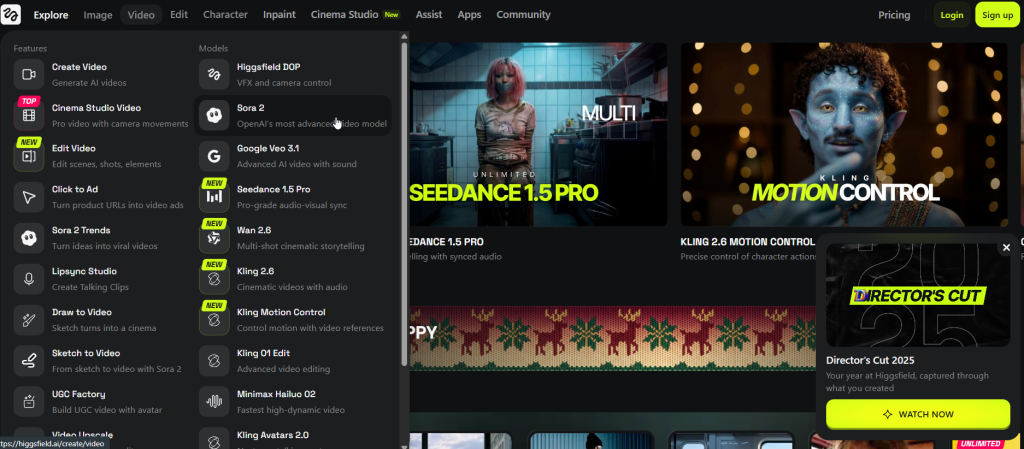
Best For: Storytellers and Control Freaks
Higgsfield isn’t just a wrapper for the API; it’s a full creative suite. While standard tools just let you type a prompt and pray, Higgsfield is built for creators who need specific control. It integrates Sora 2 directly into a workflow that includes storyboarding and character design.
I found their “Draw to Video” feature particularly impressive—it allows you to sketch a concept and have Sora 2 animate it, bridging the gap between static art and video.
- Pricing: The “Pro Plan” is $17.40/month (billed annually), which gives you 600 credits.
- Performance: Generates 1080p videos with synced audio and lip-syncing capabilities.
You may want to read this: 10 AI Trends That Will Define 2026 (Strong Predictions)
3. Krea AI
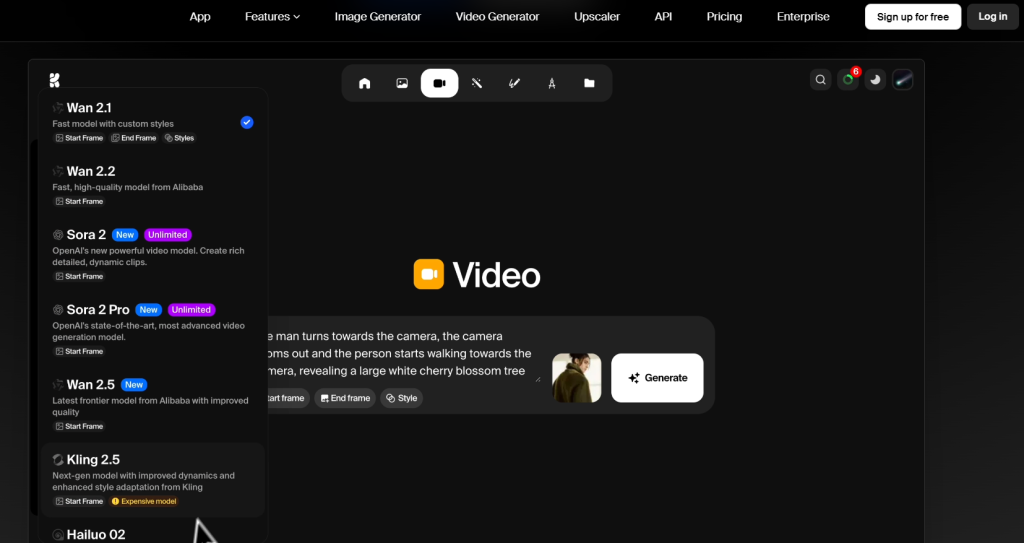
Best For: Style Consistency and No Watermarks
If you have used AI image generators, you likely know Krea. They have integrated Sora 2 video generation directly into their “creative powerhouse” platform. The standout feature here is style training. You can train the AI on your specific aesthetic, ensuring that the Sora 2 videos you generate look like your brand, not just generic stock footage.
Krea is also generous with usage rights; generations on their platform don’t carry watermarks, even at lower tiers.
- Pricing: Starts at $10/month (Basic Plan).
- Unique Feature: Includes upscaling tools to push your Sora generations to higher resolutions.
4. Flora AI
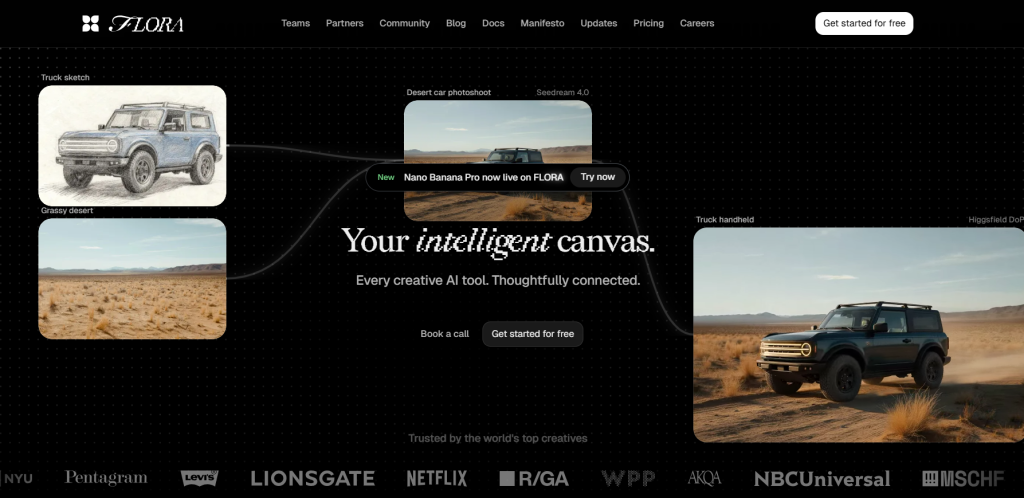
Best For: The “All-in-One” Power User
Flora AI is less of a tool and more of a command center. It supports over 50 AI models, meaning you aren’t just stuck with Sora. You can generate an image using Gemini 2.5, refine it, and then use Sora 2 to animate it—all within the same tab.
This is ideal for agencies or teams because it allows for shared workspaces. If you are iterating on a project in real-time, Flora’s interface is designed to scale a single concept into multiple assets quickly.
- Pricing: $16/seat per month (billed yearly) for the Pro Plan.
- Throughput: The Pro plan handles roughly 100 video generations, which is a solid volume for the price.
5. Veed
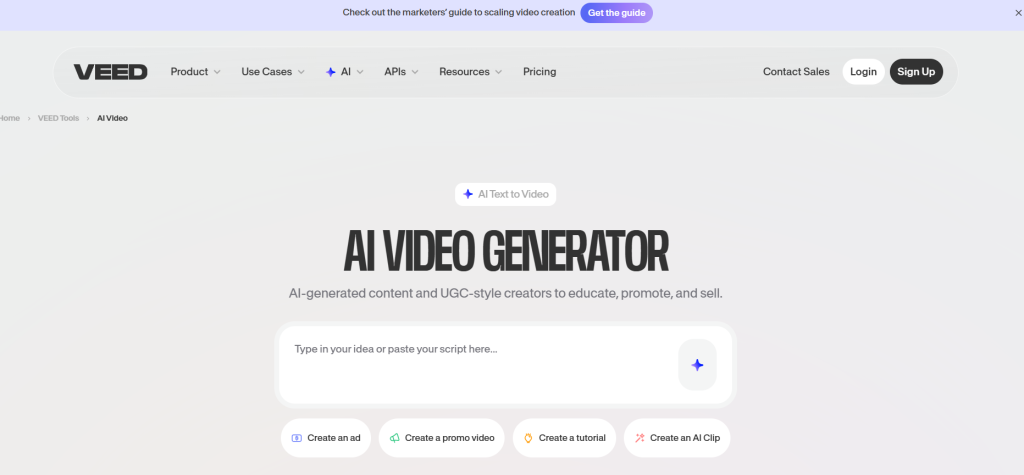
Best For: Video Editors and Post-Production
Veed has been a staple in the online video editing space for years, and their integration of Sora 2 makes perfect sense. The value proposition here is the “end-to-end” workflow. You generate your Sora 2 clip, and immediately you are in a timeline where you can add subtitles, remove background noise, and correct eye contact.
They also have an “AI Playground” feature that lets you test Sora 2 side-by-side with other models like Veo 3 or Kling. This is invaluable if you want to compare quality before committing credits.
- Pricing: $29/month per editor for the Pro plan (billed yearly).
- Key Feature: Seamless transition from generation to editing.
6. InVideo

Best For: Marketers and Faceless Channels
InVideo effectively builds the video for you. It uses Sora 2 to generate cinematic shots, but it wraps them into a full narrative with voiceovers, captions, and music. If you are trying to produce ads, explainers, or social media content at scale, this is the industrial-grade option.
It supports “multi-shot storytelling,” meaning it can maintain consistency across different scenes—a notorious difficulty for earlier AI models.
- Pricing: The “Plus” plan is $28/month, but note that Sora 2 usage burns credits quickly (roughly 0.1 credits per second of video).
- The Limit: Sora generations are capped at 12 seconds per clip, though you can stitch them together.
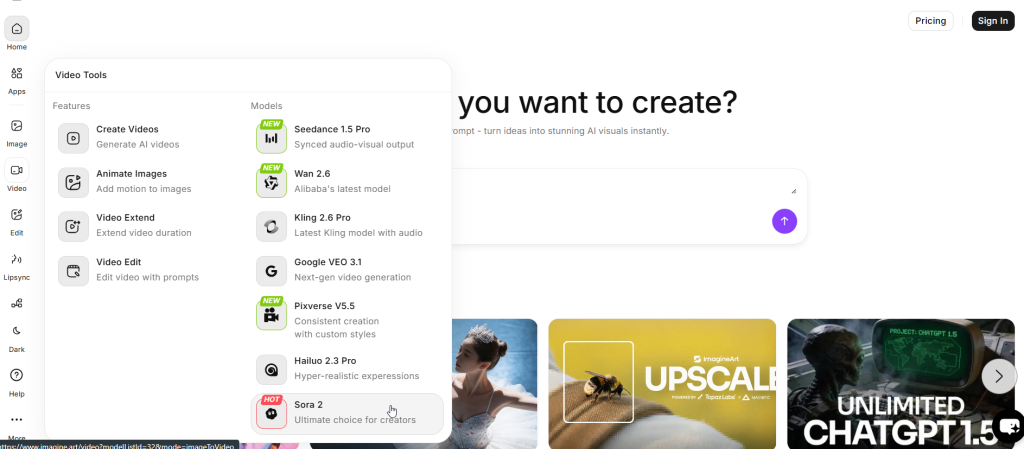
7. ImagineArt
Best For: 3D Artists and Designers
ImagineArt started with a focus on static imagery, but their Sora 2 integration is robust. It is particularly strong if you are looking to create 3D art, product visuals, or “cinematic scenes.” The platform includes camera controls and visual effects that feel very close to traditional 3D software.
- Pricing: $15/month (Basic plan) gets you roughly 115 video generations a month.
- Value: This is one of the higher volume-per-dollar ratios on the list.
8. Kie.ai
Best For: Developers and App Builders
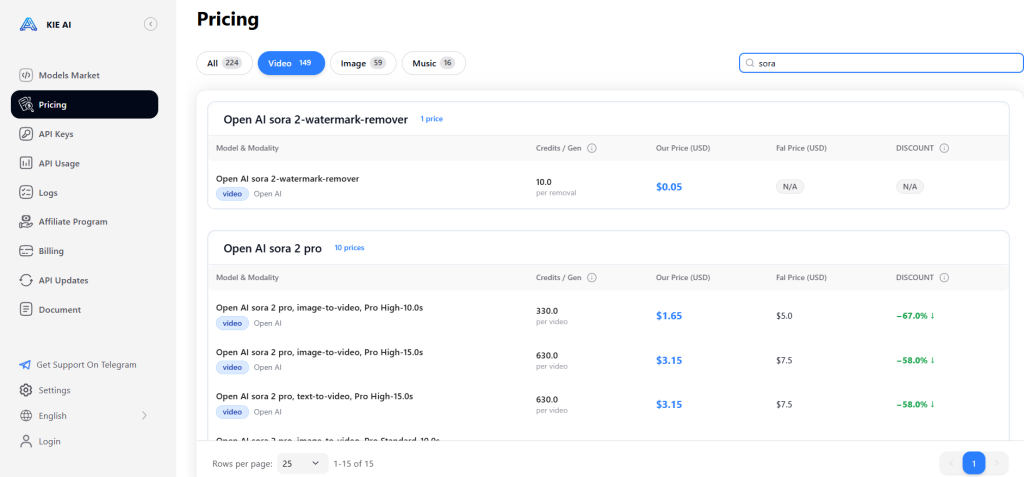
If you are a developer looking to build your own tool using Sora 2, do not go direct to OpenAI without checking Kie.ai first. They offer a managed API service that claims to cut costs by nearly 60% compared to the official OpenAI pricing.
While OpenAI charges roughly $0.10 per second, Kie.ai’s routing allows for synchronized audio support and stable performance at $0.015 per second. For high-volume applications, this pricing difference is astronomical.
- Target Audience: Developers, not casual users.
- Key Stat: Offers flexible aspect ratios (portrait/landscape) and HD output optimization.
Sora 2 vs. The Competition: Is It Still King?
You might be wondering if Sora 2 is the only game in town. It has fierce competition, specifically from Google’s Veo 3.
In recent head-to-head benchmarks, the two giants traded blows. Sora 2 is widely considered the winner for character consistency and physics accuracy. If you need a character to look the same across three different shots, Sora 2 is your tool. It achieves a 94.6% temporal coherence score, meaning objects don’t randomly morph or disappear.
However, Veo 3 takes the crown for resolution. It supports native 4K output at 60fps, whereas Sora 2 currently tops out at 1080p. If you are making content for a cinema screen, Veo 3 is the better choice, but for social media and web use, Sora 2’s motion realism is superior.
Sora 2 vs. Veo 3: The Definitive Battle for AI Video Dominance
The AI video revolution isn’t coming—it’s already here, and it’s effectively a two-horse race. If you’ve been tracking the explosion of generative video, you’ve likely seen the stunning demos from OpenAI’s Sora 2 and Google’s Veo 3. Both models launched in 2025 with promises to revolutionize how we create content, but after spending weeks stress-testing both platforms, I can tell you that “better” is entirely subjective.
Choosing between them feels a lot like choosing between a cinema camera and a versatile handheld camcorder. One offers raw, high-resolution power, while the other delivers consistency and storytelling flow that is frankly unmatched.
If you are trying to decide where to invest your budget—especially with subscriptions hitting the $200+ mark—this deep dive compares their features, flaws, and hidden quirks so you don’t have to learn the hard way.
At a Glance: The “Tale of the Tape”
Before we get into the nitty-gritty, here is the high-level breakdown of how these two heavyweights stack up.
- Resolution King: Veo 3 (4K at 60fps)
- Storytelling & Consistency: Sora 2 (Multi-shot consistency is a game-changer)
- Video Duration: Sora 2 (Up to 20 seconds vs. Veo 3’s 8 seconds)
- Audio Reliability: Sora 2 (Veo 3 struggles with a 75% audio failure rate)
- Cost Entry: Sora 2 (Cheaper monthly pro plan and free mobile tier)
1. Resolution and Visual Fidelity
Winner: Veo 3
If your primary goal is pixel perfection, Google’s Veo 3 creates a league of its own. It natively supports 4K resolution at 60 frames per second, delivering a “cinematic polish” that looks ready for a movie screen straight out of the box. In head-to-head tests involving studio environments—like recording studios with complex acoustic panels—Veo 3 captured fine textures and details that Sora 2 simply smoothed over.
Sora 2 caps out at 1080p resolution (and 720p for lower tiers). While the motion is fluid, the visual sharpness just doesn’t compete with Veo 3’s ultra-high-definition output. If you are producing commercial ads where every texture needs to pop, Veo 3 is your tool.
2. Temporal Consistency and “The Morphing Problem”
Winner: Sora 2
This is where Sora 2 absolutely crushes the competition. One of the biggest headaches in AI video is keeping a character looking like the same person when the camera angle changes. Sora 2 excels at multi-shot consistency. You can generate a scene of a news reporter in a studio and cut to them on location, and they will actually look like the same human being.
Veo 3, unfortunately, suffers from “character amnesia.” In testing, generating a new shot with the “same character” often resulted in a completely different person appearing. Furthermore, Veo 3 struggles with complex motion. In a stress test featuring a breakdancing nun, Veo 3 morphed legs into each other unnaturally, whereas Sora 2 handled the complex physics and anatomy with shocking accuracy.
3. Video Duration and Pacing
Winner: Sora 2
Google’s Veo 3 has a hard limit: 8 seconds. While you can stitch clips together in post-production, this 8-second cap severely limits the narrative flow you can generate in a single pass.
Sora 2 pushes this boundary significantly, allowing for up to 20 seconds of continuous video on its Pro plan. This might not sound like a huge difference, but in the world of TikTok and Instagram Reels, 20 seconds is an entire story arc. It allows for seamless scene transitions—like a drone shot flying into a window and transitioning to an interior view—without the jarring cuts that come from stitching shorter clips.
4. Audio Generation: The “Silent” Issue
Winner: Sora 2
Both models promise synchronized audio—dialogue, sound effects, and background ambience generated right alongside the pixels. In theory, they are tied. In practice, it’s a different story.
Users report that Veo 3 has a roughly 75% failure rate for audio generation. You might ask for a bustling city street, and you’ll frequently get a silent film. Even worse, if you try to upscale your Veo 3 video from 720p to 1080p, the platform often strips the audio track entirely, forcing you to rebuild sound in post-production.
Sora 2, by contrast, delivers reliable, synchronized audio. In tests involving a person typing and blowing into a microphone, Sora 2 synced the keyboard clicks perfectly with the visual action.
Pricing and Accessibility: The $200 Barrier
Let’s talk money, because neither of these tools is cheap for power users.
Sora 2 Pricing
- Free Access: OpenAI released an iOS app (currently US/Canada only) that allows for limited, lower-resolution generation for free.
- ChatGPT Plus ($20/mo): Surprisingly, this does not include Sora 2 access. You are stuck with the free tier limits.
- ChatGPT Pro ($200/mo): This is the serious tier. It gives you 10,000 credits a month (roughly 50 videos at 1080p), priority queuing, and the ability to generate 20-second clips.
Veo 3 Pricing
- Google AI Ultra ($249.99/mo): This is currently the most expensive option on the market. It includes access to Veo 3 via Gemini.
- The Catch: Even at this price point, Veo 3 has severe usage caps, limiting users to roughly 3-5 video generations per day.
- API Pay-Per-Use: For developers, Veo 3 is actually more accessible via API, charging roughly $0.40 per secondfor video with audio.
Verdict: Which One Should You Choose?
Choose Sora 2 If: You are a content creator, social media manager, or storyteller. The 20-second duration, reliable audio, and superior character consistency make it the best tool for creating “ready-to-post” content. The free iOS app also makes it the best entry point for hobbyists who just want to experiment without dropping $200.
Choose Veo 3 If: You are an enterprise marketing team or a high-end production house where 4K resolution is non-negotiable. If you need B-roll for a TV spot or high-res visuals for a product launch and have the budget to handle the $250/month subscription (and the patience for the daily limits), Veo 3’s visual fidelity is unmatched.
Critical Advice: Watch Out for Hidden Costs of the Cheapest Tools to Use Sora 2
Before you subscribe to any of these tools, there is a “hidden cost” trap you need to be aware of.
- Storage Fees: High-definition video files are massive. Some platforms will charge you extra for long-term storage of your generated assets.
- Failed Generations: In the API world, you sometimes pay for the attempt even if the video comes out looking weird. Look for platforms that have a “refund on failure” policy or rigorous quality checks.
- The “Credit” Illusion: Be careful with “Unlimited” plans. They often apply to standard AI models, while Sora 2 usage is strictly metered. Always check the fine print for “Sora 2 specific” limits.
FAQ
Is there a totally free way to use Sora 2?
Technically, no. Sora 2 is computationally expensive. However, Vidful.ai offers a small number of free credits upon signup that allow you to generate about two videos. OpenAI also has a free tier on their iOS app, but it is invite-only and geo-restricted to the US and Canada.
Can I use Sora 2 in India or China?
Direct access to Sora 2 via OpenAI is currently restricted in many regions, including India and China. However, the third-party tools listed above (like Flora and Krea) generally work globally because they access the API through their own US-based servers. For developers in China, services like Kie.ai offer optimized routing to bypass latency and access blocks.
Does Sora 2 generate audio?
Yes. Unlike the first version, Sora 2 generates synchronized audio, including dialogue, sound effects, and background ambience. Tools like Veed and InVideo excel at leveraging this for full video production.
Which tool is best for making long videos?
InVideo is the best choice for long-form content. While the model generates short clips (up to 20 seconds), InVideo’s platform is designed to stitch these clips into minute-long (or longer) narratives with consistent storytelling.
Why is Sora 2 so expensive compared to other AI tools?
It comes down to compute. Generating 1080p video at 30 frames per second requires significantly more GPU power than generating a static image. Each 10-second video costs OpenAI roughly $0.12 in pure compute costs, which is why free tiers are so rare.
Does Sora 2 work with my $20/month ChatGPT subscription?
No. This is a common point of confusion. The standard ChatGPT Plus plan does not unlock Sora 2 features. You are stuck with the limited free tier unless you upgrade to the $200/month Pro plan.
Can I use Veo 3 for commercial work?
Yes, Google allows commercial use for its AI Ultra subscribers. However, be aware that Veo 3 embeds “SynthID” watermarks. While invisible to the eye, these tags flag the content as AI-generated, which might be a consideration for some client work.
Why is Veo 3 limited to only 3-5 videos a day?
Video generation is incredibly computationally expensive—it melts GPUs. Google has imposed strict daily limits even on their highest-tier plan to manage server load. If you need high-volume generation, you are better off using their API or switching to Sora 2.
Which model is better for faceless YouTube channels?
Sora 2 is the better choice. Its ability to maintain character consistency across multiple shots allows you to build a narrative around a single avatar or character, something Veo 3 struggles to do reliably.