The Unofficial Guide to Veo 3 Fast vs Veo 3 Quality: How to Save 5x Credits on AI Video Generation
There I was, staring at the screen, watching my hard-earned Google AI credits evaporate faster than water on a stovetop. I was running high-fidelity video generations using Google’s premium AI model, Veo 3 Quality, thinking I needed the absolute best for my cinematic scenes.
After burning through a significant chunk of my monthly allowance on just a handful of clips, I realized I was making a critical mistake that countless creators fall into: assuming the most expensive option is the only option.
I discovered the secret weapon, Veo 3 Fast, and the stunning truth it revealed: many times, the “budget” model is nearly indistinguishable from the “premium” one, allowing you to generate five times the content for the same cost. If you’re serious about scaling your AI video generation without rinsing your entire budget, this is the deep dive you need.
The Credit Trap: Decoding Veo’s Pricing Model
If you’re working with Google’s Veo models, whether through Gemini, Flow, or the API, you quickly learn that video generation operates on a per-second or per-credit model, which is fundamentally different from the per-word pricing of text-based AI models. Since Veo must calculate physics, lighting, and render dozens of frames every second, the computational cost scales dramatically with output length, making strategic planning essential to maximize your investment.
Google offers two primary modes for its latest AI video generators—Veo 3.1 and its predecessor, Veo 3—and the difference in cost is staggering.
The Staggering Cost Difference
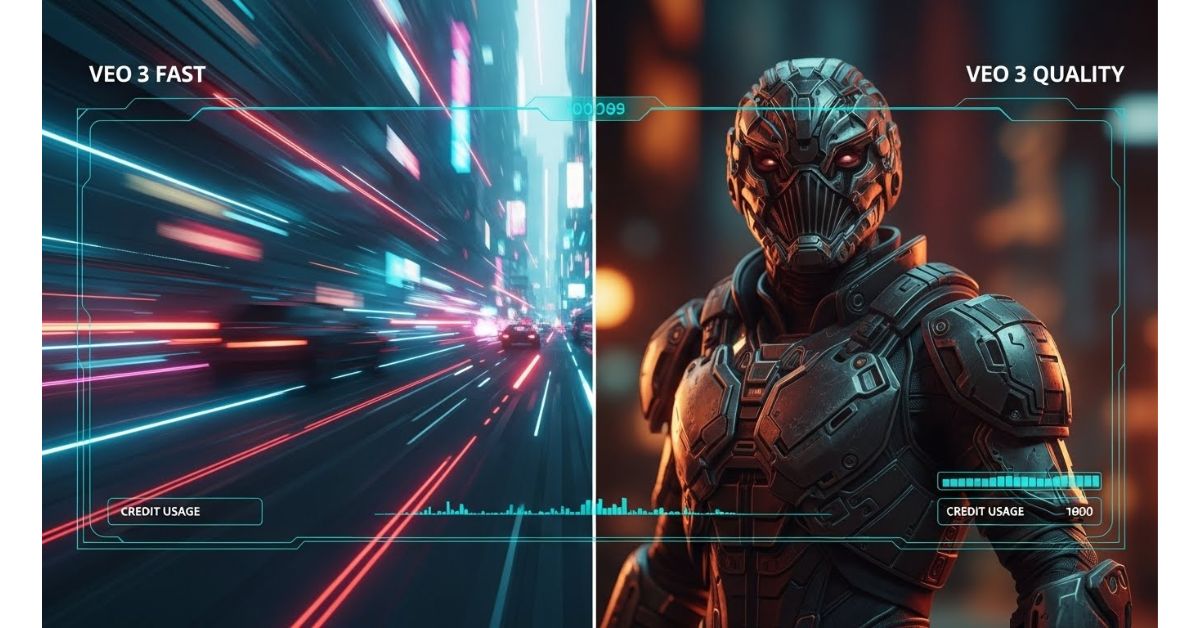
Veo 3 Fast is explicitly designed for speed and affordability, acting as a lightweight, quick-turnaround option. In contrast, the standard Veo 3 Quality model focuses on maximum detail, cinematic polish, and adherence to complex creative prompts.
The most shocking difference is the sheer output volume you sacrifice if you default to the premium model:
| Feature | Veo 3 / 3.1 Quality (Standard) | Veo 3 / 3.1 Fast | Cost Difference |
|---|---|---|---|
| Credit Cost (per clip) | 100 credits | 20 credits | 5x cheaper |
| API Cost (per second) | ~$0.40 – $0.75 | ~$0.15 | Up to 80% less |
| Speed | Slower, optimized for detail | Much faster, optimized for quick output | Renders up to 2x faster |
| Best For | Film, ads, high-end production | Social media, drafts, rapid prototyping |
For users on a subscription plan, this cost difference directly translates into your monthly output capacity. For instance, the Google AI Pro plan, which provides approximately 1,000 credits per month, yields vastly different results depending on your choice:
- With Veo 3 Quality: You can generate only about 10 videos.
- With Veo 3 Fast: You can generate up to 50 videos.
If you’re testing ad creatives or generating content for fast-paced social platforms like TikTok or Reels, generating 50 videos instead of 10 gives you an undeniable competitive advantage.
Fast Mode’s Secret Weapon: High Throughput
The lower cost of Veo 3 Fast is not just theoretical; it radically changes how quickly you can iterate. I’ve found that Veo 3 Fast renders videos about twice as quickly as the Quality model. In one real-world test, a video took 2 minutes and 41 seconds on the Quality mode, compared to just 1 minute and 13 seconds on the Fast mode. This speed, coupled with the low credit cost, makes it perfect for rapid prototyping and testing concepts before committing to a final, expensive render.
You might want to read this: 7 Surprising Truths About Productivity in the Age of AI
Head-to-Head: Is Veo 3 Fast Really Lesser Quality?
Google claims that the Fast model is of lesser quality than the standard model, but this is where the real-world usage paints a different picture. Many users, myself included, believe the differences are far less significant than the 5x price difference would suggest.
Visual Fidelity: The Great Indistinguishable Challenge
When comparing videos generated using the same prompt side-by-side, it is often incredibly difficult to notice a major difference in the final output quality between the Fast and Quality modes. For many standard-definition or social media uses, the quality from Veo 3 Fast is surprisingly good and retains most of the “essence” of the cinematic model.
While the Quality model is aimed at achieving maximum fidelity, featuring slightly richer textures, better color depth, and fewer subtle artifacts, professionals are the ones most likely to appreciate or notice these tiny differences. For the majority of content creators, the quality jump from older models (like Veo 2) to Veo 3 Fast was so profound that they hit a “sweet spot” of performance and affordability.
Audio and Resolution: No Compromise on Essentials
The good news is that opting for the Fast model doesn’t mean compromising on the core features that make Veo so powerful:
- High Resolution Output: Both Veo 3 and Veo 3 Fast support high-resolution output up to 1080p HD resolution.
- Native Audio Integration: Both models generate native, synchronized audio, including dialogue, sound effects, and ambient noise. The audio generated in the Fast versions is believed to be just as good as the normal model.
- Aspect Ratio Flexibility: Both models support standard widescreen (16:9) and vertical video (9:16), making them ready for platforms like YouTube and TikTok.
This means you get professional-grade specs and integrated sound, but at a fraction of the cost, making Veo 3 Fast the optimal choice for the vast majority of projects.

Mastering the Fast-First Workflow for Maximum Savings
If you are running a creative studio, an e-commerce brand, or even just building out your personal portfolio, you should never start generating ideas with the most expensive model. The true genius of the Veo 3 Fast vs Veo 3 Quality dynamic is realized through a specific iterative strategy.
Step-by-Step Cost Optimization Strategy
I call this the “Fast-First” Workflow, and it is the single most important action you can take to keep your AI video budget under control. This approach can reduce your iteration costs by over 80%.
- Idea Generation & Drafting (Use Veo 3 Fast): Always generate your initial concepts, storyboards, and compositions using the Fast mode. Since it only costs 20 credits per clip (or ~$0.15/second via API), you can test dozens of prompts, camera angles, and ideas rapidly without fear of emptying your budget.
- Concept Approval (Lock the Look): Once you’ve generated a sequence or shot that nails the composition, camera motion, and timing you need, stop generating new concepts.
- Final Delivery (Upgrade to Quality): Only for the final approved render—the one you plan to deliver to a client or publish as a hero asset—should you upgrade to Veo 3 Quality. This reserves the expensive 100-credit generations for content you know you will actually use.
Utilizing Advanced Controls: Veo 3.1’s Secret Weapons
The latest iteration, Veo 3.1, introduces key features that enhance control and consistency, making both the Fast and Quality models more useful, especially when integrated into your production workflow.
- Reference Images (“Ingredients”): Veo 3.1 allows you to upload up to three reference images (often called “ingredients”) to maintain character appearance, objects, or style consistently across shots. This feature is crucial for brands and agencies looking to generate UGC-style product videos showcasing multiple SKUs within a single clip.
- First and Last Frame Control: You can provide a starting image and an ending image, and Veo 3.1 will generate a smooth, seamless transition between them, complete with synchronized audio. This is invaluable for generating controlled animations and precise scene continuity.
- Scene Extension: While the native generation length for most Veo models is capped at 8 seconds, you can use the extend feature in tools like Flow to chain clips together. This works by taking the last frame of your finished clip and using it as the input frame for the next generation, allowing you to create longer narratives.
Veo vs. The Competition: Choosing Your AI Video Generator
When looking at the broader landscape, particularly when comparing Google’s models to OpenAI’s Sora 2, it becomes clear that selecting the right tool depends entirely on your objective. The decision is not about “better,” but about alignment with your production workflow.
Veo 3.1’s Edge over Sora 2
Head-to-head testing reveals that Veo 3.1 and Sora 2 each occupy a different strength in the market:
| Creative Task | Veo 3 / 3.1 (AI Cinematographer) | Sora 2 (AI Storyteller) |
|---|---|---|
| Ad Creation | Winner. Delivers a clean, bright, “advertising-grade” look right out of the box. | More filmic and moody, often better for drama than upbeat ads. |
| Multi-Shot Continuity | Winner (for Control). Image-to-Video and Start/End Frame controls allow for precise, storyboard-level direction. | Excellent consistency, but API restrictions currently make human-subject control less precise. |
| Viral Social Clips | Can look too polished or “stock video” in amateur styles. | Winner. Perfectly captures the “messy,” “hand-held,” or “live cam” feel for authentic social content. |
| Global Accessibility | Winner. Available globally with no country restrictions. | Limited access outside of the US and Canada (requiring third-party access). |
Ultimately, Veo 3.1 shines when you need granular control, precise execution of directorial commands, and high-fidelity product representation (the “AI Cinematographer”). Sora 2, on the other hand, excels at generating natural human emotion and out-of-the-box cinematic realism (the “AI Storyteller”).
When to use Veo 3.1 Quality (The High-Fidelity Use Case)
While Veo 3 Fast is the everyday hero, there are scenarios where the extra cost of the Veo 3 Quality model is justified:
- Final Client Deliverables: If you are producing final output for a campaign, film, or presentation where every pixel counts and artifacts are unacceptable, the Quality mode minimizes the risk of the unfortunate ‘AI sheen’ creeping in.
- Complex Textures and Lighting: When your prompt relies heavily on photorealistic textures, complex light reflections, or intricate visual fidelity (like skin detail or fabric realism), the Quality model tends to handle these micro-details better than the Fast version.
- Professional Storyboarding: For precise pre-visualization where you need the model to adhere perfectly to complex camera angles, shot types, and motion directions, the stronger prompt adherence of the Quality model is worth the investment.
For everything else—especially for testing creative direction, rapid iteration, and high-volume social output—lean heavily on Veo 3 Fast. It is the smart, cost-effective model that allows you to accelerate your workflow without sacrificing cinematic output quality.
Frequently Asked Questions (FAQ)
What is the difference between Veo 3.1 and Veo 3.1 Fast?
Veo 3.1 is the advanced model focused on maximum detail and cinematic quality, costing approximately 100 credits or $0.40–$0.75 per second. Veo 3.1 Fast is the optimized version designed for speed and cost-efficiency, often rendering twice as fast and costing only 20 credits or ~$0.15 per second. While Fast mode is significantly cheaper, the final video quality is often surprisingly close to the standard model, making it ideal for prototyping.
How long are Veo videos and can I generate a 60-second clip?
The standard clip length for Veo 3 and Veo 3.1 models is typically 8 seconds. While 8 seconds is the native maximum, you can create longer sequences, reportedly up to a minute or more, by using the Scene Extension feature in tools like Flow or via the API. This method involves chaining clips together using the last frame of the preceding video as the reference point for the next, though you may need to manually edit the seams.
Can I use Veo 3 Fast to generate high-resolution videos?
Yes. Both the Veo 3 and Veo 3.1 Fast and Quality models support generating videos up to 1080p HD resolution. They also support both 16:9 (landscape) and 9:16 (vertical) aspect ratios.
Is Veo 3.1 free to access?
Veo 3.1 is generally a premium model available through paid subscriptions or API access. However, Google Flow offers 100 free monthly credits, which can be used to generate roughly five Veo 3.1 Fast clips. Additionally, the sources note that third-party platforms like Hugging Face sometimes offer free access to Veo 3.1.
Which model is better for cinematic realism: Veo 3.1 or Sora 2?
Based on head-to-head analysis, Sora 2 often wins for pure cinematic realism in human-centric or “slice-of-life” scenes, delivering superior low-light performance and more believable physics. Veo 3.1 excels as the “AI Cinematographer,” prioritizing directorial control, sharp focus, and polished, advertising-grade results, especially when using image references. The best strategy is often to use the Fast mode of both models (Sora 2 and Veo 3.1 Fast) to prototype concepts.