The Definitive Guide to the Best AI UGC Video Creation Tools in 2025
I remember talking to a dropshipping founder last year who was absolutely drowning. He was running multiple successful TikTok Shop accounts, but he told me the single hardest thing wasn’t finding products or managing logistics—it was constantly creating content.
Traditional User-Generated Content (UGC) production—hiring creators, shipping products, waiting weeks for a 30-second clip—was slow, unscalable, and prohibitively expensive. He felt stuck on a content hamster wheel, grinding out videos until he found an AI tool that could generate realistic, fresh UGC on demand, turning his content flow from a trickle into a firehose.
That shift isn’t unique to one person. It represents the seismic change happening in digital marketing right now. In 2025, the demand for fresh, authentic-looking video on platforms like TikTok, Facebook, and Instagram Reels is relentless.
If you want to scale your ad creative without burning out or breaking the bank, AI UGC video creation tools are no longer a luxury—they are the blueprint for growth. Brands leveraging AI video tools already report an average cost savings of 35% compared to traditional production, helping drive the AI video generation market toward an estimated $2.8 billion valuation.
This the best AI UGC video creation tools guide is your deep dive into the top platforms transforming how authentic, scroll-stopping content is made.
Decoding the AI UGC Landscape: Two Core Tool Types
Before we break down the specific platforms, it’s critical to understand the two distinct categories dominating the AI video generation market this year.
Generative AI Avatars: The Virtual Creator
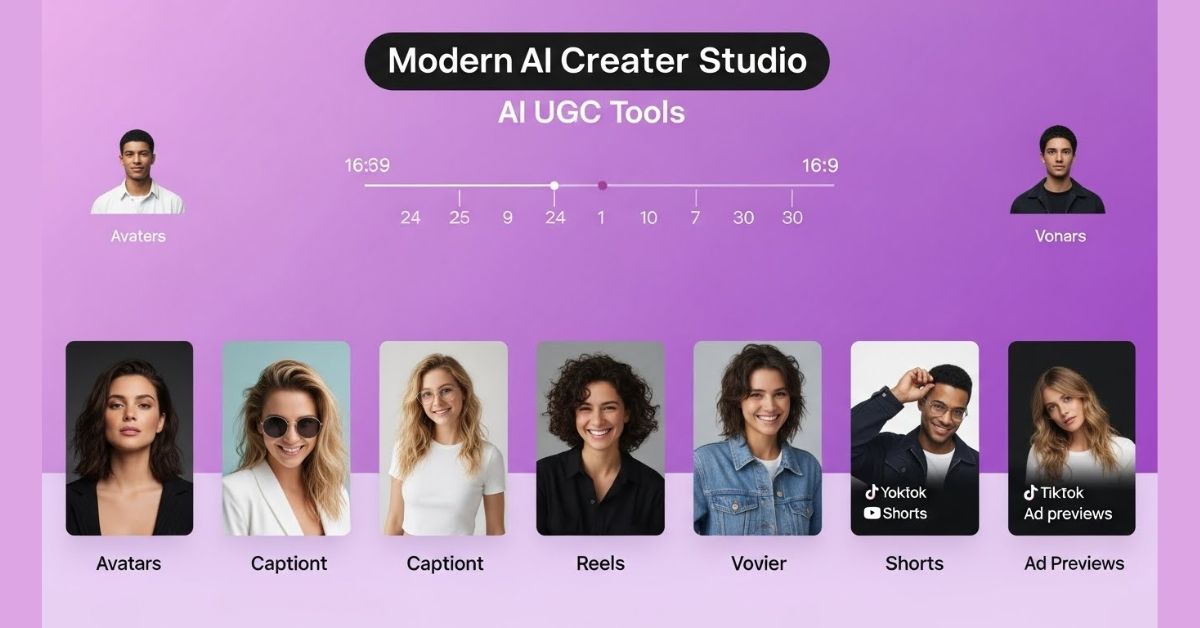
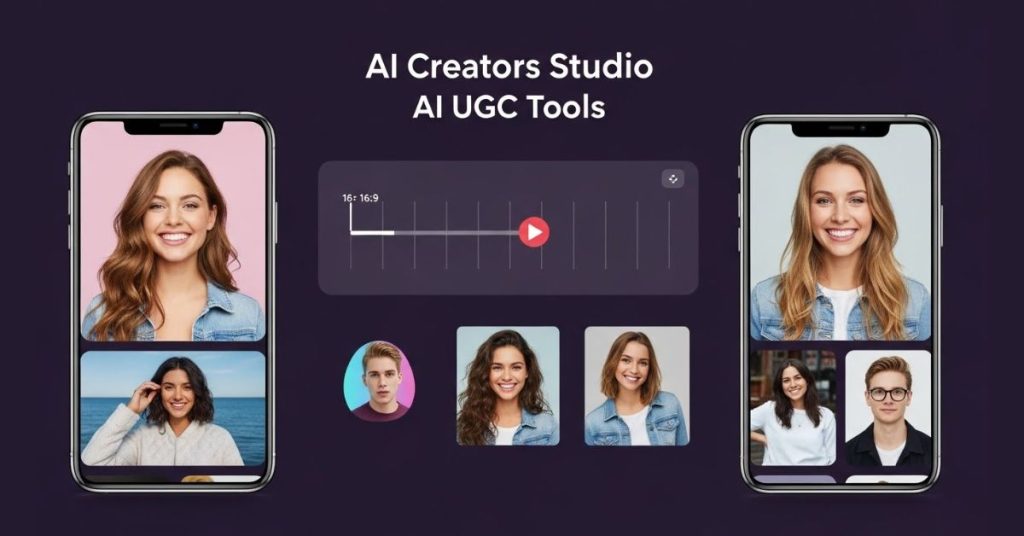
These tools generate videos from a simple script, entirely from scratch. You choose a virtual creator—an AI avatar—that matches your target demographic (think a Gen Z gamer or a Millennial mom), input your script, and the AI generates a video of the avatar speaking your words with perfect lip-sync and emotion.
- Goal: Replace the need to hire direct-to-camera UGC creators, eliminating casting, shipping products, and high day rates.
- Key Platforms: Arcads, HeyGen, Zeely AI.
AI-Powered Editors: The Post-Production Wizard
These tools take existing content—whether it’s your raw footage, a long-form podcast, or a YouTube video—and use AI to edit it into high-performing short-form videos. They automate the tedious “retention editing” process, automatically adding dynamic captions, relevant b-roll, zooms, and fast transitions that maximize watch time.
- Goal: Maximize the value of existing assets and apply the professional editing standards seen in viral content (like the Alex Hormozi style) in minutes.
- Key Platforms: Opus Clip, Submagic, Captions.
Top AI UGC Video Creation Tools of 2025: A Deep Dive Review
We’ve tested and ranked the top platforms that will help you dominate TikTok, Facebook, and Instagram Reels this year.
Category 1: Generative Avatars & Ad Creation
| Tool | Best Use Case | Key Feature | Pricing (Est.) |
|---|---|---|---|
| Arcads | Realistic UGC Ad Testing | Hyper-Realistic Casual Avatars | $110/mo |
| HeyGen | Polished, Professional Spokespeople | Digital Twin / Instant Avatar | $24/mo |
| Creatify | Rapid eCommerce Product Videos | URL-to-Video Generation | $19/mo |
| Zeely AI | All-in-One Creative Automation | Shopify-Native Sync, Single Dashboard | $49.95/mo |
Arcads: The King of Realistic UGC Actors
If your primary goal is to churn out high-converting video ads that look authentically “filmed on an iPhone,” Arcads is the market leader. Unlike stiff, corporate avatars, Arcads specifically focuses on the UGC aesthetic: casual clothing, handheld camera angles, and natural imperfections.
- Key Features: Hyper-Realistic Avatars (suitable for specific niches like fitness or beauty), Text-to-Video input, Multilingual Support (generate the same ad in 30+ languages instantly).
- Best For: Dropshippers and eCommerce brands that need dozens of ad variations for rapid testing, especially on TikTok.
- Pros: Most realistic casual avatars available; specifically engineered for ad performance; huge time saver for creative testing.
- Cons: Higher price point than some competitors; complex movements can occasionally lead to “uncanny valley” moments.
- Pricing: Starts around $110 per month.
HeyGen: Best for Polished Professional Avatars & Digital Twins
While Arcads focuses on the casual, HeyGen targets the high-fidelity, professional avatar space. If you need a spokesperson who looks like a polished news anchor or corporate representative, HeyGen is the tool. Many prefer HeyGen’s avatar-based approach for business content and tutorials because it feels more personal and engaging than stock-footage alternatives.
- Key Features: Instant Avatar (create a digital twin of yourself from 2 minutes of footage), Photo Avatar (animate a static photo), Video Translate (translate existing videos with lip-syncing). HeyGen also features advanced voice cloning technology.
- Best For: Corporate training, welcome messages, professional service ads, or founders who need to scale their presence without daily filming.
- Pros: Highest quality lip-syncing and visual fidelity; custom avatar creation for brand consistency.
- Cons: Often looks too polished for “raw” TikTok feeds (better suited for Facebook/LinkedIn ads); higher cost for custom avatars.
- Pricing: Creator plans start around $24 per month.
Creatify: The Fastest eCommerce Product-to-Video Engine
Creatify is built for pure speed, specializing in turning a product link into a ready-to-publish video ad. If you run a large catalog on Shopify or Amazon, Creatify can scrape your product images and details, generate a script, and produce a video in minutes.
- Key Features: URL-to-Video (paste link, AI writes script and grabs media), AI Avatar Integration (overlay a presenter), Batch Mode (create dozens of ad variations quickly).
- Best For: Amazon sellers and Shopify owners needing to test many products quickly without filming physical samples.
- Pros: Incredible speed; eliminates scriptwriting need; very affordable entry point.
- Cons: Avatars are sometimes less native-looking than Arcads; limited customization compared to manual editors.
- Pricing: Accessible plans starting around $19–$33 per month.
Zeely AI: The All-in-One UGC Ad Platform for DTC
Zeely AI positions itself as a full-stack creative automation platform, designed specifically for scaling Direct-to-Consumer (DTC) campaigns. It generates UGC-style video ads, static creatives, and ad copy from a single product URL.
- Key Features: Single-pane workspace (ideation, generation, scheduling, analysis all in one tab); Shopify-native synchronization (product feeds automatically update scripts and calls-to-action).
- Best For: Growth marketers, DTC founders, and multichannel eCommerce teams who need enterprise-grade automation and unified reporting.
- Pros: Seamless integration and automation; auto-publishing to Meta, TikTok, and YouTube Shorts; comprehensive live performance analytics.
- Cons: Requires a broader marketing approach than just video generation; starting price is mid-tier ($49.95/mo).
- Pricing: Starts at $49.95 per month.
Category 2: AI-Powered Editing & Repurposing
| Tool | Best Use Case | Key Feature | Pricing (Est.) |
|---|---|---|---|
| Opus Clip | Repurposing Long-Form Content | AI Curation (Virality Score) | $19/mo |
| Captions | Personal Brand / Talking Heads | AI Eye Contact Feature | $13/mo |
| Submagic | Maximizing Viewer Retention | Magic B-Roll & Trendy Captions | $20/mo |
| InVideo AI | Faceless Content Creation | Prompt-to-Video Storytelling | $20/mo |
Opus Clip: Mass Content Repurposing Powerhouse
If you have a backlog of long-form video content—podcasts, YouTube videos, webinars—Opus Clip is a necessity. It uses AI to watch your long videos, identify the most viral moments, and clip them into vertical shorts optimized for Reels and TikTok.
- Key Features: AI Curation (assigns a score to clips based on viral potential); Active Speaker Detection (automatically crops the vertical video to keep the speaker centered); Auto-Captions and Emojis (adds dynamic, high-retention captions).
- Best For: Podcasters, YouTubers, coaches, and consultants with large libraries of educational content.
- Pros: Massive time saver (months of content created in minutes); intelligent framing and high-quality captioning.
- Cons: Requires existing long-form content to function; the virality score is an estimate, not a guarantee.
- Pricing: Starts around $19 per month.
Captions: Essential Mobile Editor with AI Eye Contact
The Captions mobile app started as a subtitle tool but is now a powerful mobile editing studio that solves a core creator problem: reading a script without losing connection.
- Key Features: AI Eye Contact (digitally adjusts your eyes to look directly at the camera lens, even while you read a script off-screen); AI Trim (automatically removes filler words like “ums,” “ahs,” and dead air); Lipdub (translates video into other languages while correcting lip movements).
- Best For: Influencers, founders building a personal brand, and any creator focusing on direct-to-camera “Talking Heads” videos.
- Pros: The Eye Contact feature is truly a game-changer for authenticity; highly intuitive mobile interface; professional-grade subtitles.
- Cons: Primarily a mobile-first workflow; editing features are centered on talking heads, less suited for cinematic montages.
- Pricing: Subscription-based, typically around $13 per month.
Submagic: Master of High-Retention B-Roll and Pacing
If you want the high-retention editing style that keeps viewers glued to the screen (think visually stimulating changes every 3 seconds) without hiring a professional editor, Submagic is your tool.
- Key Features: Magic B-Roll (AI analyzes speech and automatically inserts relevant stock footage and GIFs); Trendy Caption Templates (inspired by top creators); Auto-Zoom and Transitions (automatically adjusts visual pacing).
- Best For: Infotainment channels, marketers looking to spice up talking-head videos, or faceless niche pages.
- Pros: B-roll generation saves hours of searching stock sites; excellent for keeping viewer retention high.
- Cons: B-roll selection can occasionally be generic; requires a paid plan to remove watermarks.
- Pricing: Starts at $20 per month.
InVideo AI: Text-to-Video Storytelling with Zero Assets
InVideo AI lets you generate complete, narrative-driven videos from a simple text prompt. You don’t need to provide footage or even a full script—the AI handles everything.
- Key Features: Prompt-to-Video (input a request like “Create a 30-second TikTok about green tea benefits,” and it generates the script, footage, voiceover, and edit); Command Box (edit the video by typing instructions like “Make the music more upbeat”).
- Best For: Faceless YouTube/TikTok channels, listicles, and explainer videos.
- Pros: You can create content with zero original assets; the chat-based editing is intuitive.
- Cons: Relies heavily on stock footage, which can feel less personal than true UGC; voiceovers can sometimes sound robotic.
- Pricing: Paid plans start at $20 per month; free plan includes watermarks.
Cost Efficiency and Budgeting: How AI Generates ROI
The most compelling argument for AI UGC tools is the dramatic impact on the bottom line. You are not just saving time; you are replacing a complex, high-overhead production process with a streamlined, low-cost solution.
AI vs. Traditional Production: The Cost Breakdown
The cost gap between traditional and AI-powered creative is staggering. For brands using AI video tools, the cost-per-creative can drop from over $200 (for human UGC) to under $20.
| Metric | Traditional Production | AI Generator (e.g., Creatify, Arcads) |
|---|---|---|
| Average Cost per 30-sec Clip | Upwards of $200–$3,000 | As low as $40 |
| Time to First Draft | 3–4 weeks | Under 1 hour |
| Variants per Brief | 1–2 | 10–100 |
| Cost Savings | N/A | Brands report average cost savings of 35% |
This affordability allows for massive scale and speed. A footwear retailer reported cutting the concept-to-launch timeline from 25 days down to 36 minutes, which allowed them to run twice as many A/B tests and ultimately lowered their Cost Per Acquisition (CPA) by 27%. When the content beast is hungry, AI allows you to instantly queue up new creative variants to protect against creative fatigue.
Navigating Credit Systems and Pricing Tiers
Most advanced AI generation platforms use one of two pricing models: credit-based systems or subscription tiers.
- Credit Systems: You purchase virtual currency (credits) to “pay” for specific generation tasks. The cost depends entirely on the sophistication of the AI model used. For example, on a comprehensive platform like ReelMind.ai, a sophisticated model like Runway Gen-4 might consume 150 credits, while a more budget-friendly option like MiniMax Hailuo 02 Standard might only cost 40 credits.
- Subscription Tiers: These offer predictable monthly costs and usually bundle access to a specific number of features, generation minutes, or a block of credits. These tiers often unlock premium features like higher resolution output or access to cutting-edge models like the OpenAI Sora Series.
Buyer Beware: The Hidden Cost of AI Video Generation
While the per-video cost is low, many creators discover a hidden cost: useless generations. In testing across various AI platforms, roughly 90% of the videos generated from prompts can be unusable.
Since these services charge based on computational demand, if a video is generated, it uses credits, regardless of whether you download it or use it. For creators budgeting effectively, this means mastering prompt engineering to reduce waste and always utilizing free trials or basic tiers to test quality before committing to bulk credit purchases.
Critical Takeaways: Legal and Ethical Considerations for Synthetic Media
The ability to generate hyper-realistic AI avatars introduces powerful creative opportunities, but it also brings serious ethical and legal responsibilities that you must address.
The Realism and Trust Challenge
AI avatars have become so sophisticated that high-quality tools like Arcads and HeyGen have “crossed the uncanny valley” for mobile viewing; on a small phone screen, it is becoming nearly impossible to distinguish a high-quality AI avatar from a real person. This level of realism makes transparency mandatory.
Ethical and Legal Mandates:
- Transparency is Required: You must clearly disclose when content is AI-generated, especially when it is presented as authentic user experience or features a realistic human likeness.
- FTC Bans Fake Reviews: The Federal Trade Commission (FTC) explicitly bans fake AI-generated reviews and testimonials, citing potential civil penalties of up to $51,744 per violation.
- Platform Policy: TikTok requires creators to label content that has been completely generated or significantly edited by AI, particularly if the primary subjects are portrayed doing something they didn’t do or saying something they didn’t say (e.g., AI-generated speech or dancing).
- Identity and Rights: Creating a sound-alike or look-alike of an identifiable person (a deepfake) can violate the subject’s statutory and common law right of publicity. You must ensure you have permission to use a person’s likeness or voice, especially when using voice cloning.
Final Verdict: Choosing the Right AI UGC Tool to Scale Your Brand
The key to succeeding with AI UGC is aligning the tool’s core strength with your campaign goal. Whether you are a solo founder launching on TikTok Shop or an agency managing dozens of campaigns, here is the best tool for the job:
| If your goal is… | You should choose… | Because… |
|---|---|---|
| Rapidly test new product ads | Creatify | Its one-click URL-to-Video feature delivers instant variants at a low cost, allowing growth teams to learn fast. |
| Generate the most authentic, casual-looking actors for ads | Arcads | It is specifically designed to bypass the uncanny valley for TikTok-style UGC, prioritizing the “filmed on an iPhone” aesthetic. |
| Repurpose hours of long-form video into viral shorts | Opus Clip | Its AI identifies the most engaging clips and instantly applies high-retention formatting, saving months of manual work. |
| Create polished, multilingual explainer videos or digital twins | HeyGen | It offers the highest visual fidelity and superior lip-syncing for professional spokespeople. |
| Auto-edit existing footage with B-roll and zooms for high retention | Submagic | Its Magic B-Roll feature saves hours of manual stock footage searching, ensuring content is visually stimulating. |
| Maintain brand consistency and consolidate your entire workflow | Zeely AI | It offers a single dashboard solution for generating video, static ads, and copy, all synced to your product feed. |
The barrier to entry for high-quality video marketing has never been lower. The advantage goes to those who move fast, iterate quickly, and deploy new creative weekly.
FAQ
Can AI UGC videos really go viral on TikTok or Instagram Reels?
Yes, AI UGC videos can absolutely go viral. Viral content is primarily driven by retention and perceived value, not strictly human creation. Tools like Opus Clip and Submagic are engineered specifically to maximize watch time and completion rates by automatically adding fast pacing, visual stimuli, and dynamic captions—elements that social algorithms love. Studies show high-quality creators, which AI helps enable, enjoy 67% more watch time per view.
Do AI avatars look fake or fall into the uncanny valley?
It depends entirely on the tool and the platform being viewed. High-end platforms like Arcads and HeyGen have sufficiently advanced their technology that, on a small phone screen, it is becoming nearly impossible to distinguish a quality AI avatar from a real person. These platforms focus on hyper-realistic details, like natural lip-syncing and emotional expression, to ensure authenticity.
What are the optimal video lengths for social media using AI UGC tools?
The ideal length varies significantly by platform and must be tested:
TikTok: While many clips are under 60 seconds, longer videos (60–120 seconds) perform better, seeing a 43.2% boost in reach and 63.8% more watch time. The algorithm rewards videos that maintain attention, especially in the first three seconds.
Instagram Reels: Short videos dominate here. Reels between 15–30 seconds get the best engagement and high completion rates.
YouTube: Longer videos shine. Aim for 7–15 minutes for tutorials or detailed storytelling, as YouTube prioritizes watch time and retention.
Is it legal to use AI-generated content for product testimonials and ads?
Yes, but transparency and compliance are mandatory. The FTC explicitly bans fake AI-generated reviews and testimonials, meaning you must comply with disclosure requirements. You must avoid deceptive practices and ensure that AI-generated content is clearly and prominently labeled as artificial, especially when presented as authentic user experiences. Furthermore, using look-alikes or sound-alikes of identifiable people without permission can violate legal rights, such as the right of publicity.
What is the biggest hidden risk when budgeting for AI video generation?
The biggest hidden risk is credit waste. Many platforms charge per generation, not per usable output. Since some sources indicate as many as 90% of videos generated from a prompt might be useless due to the variability of the AI, you are still paying for every clip generated. The best budgeting strategy is to refine your prompt skills and use free trials before purchasing large credit packs.